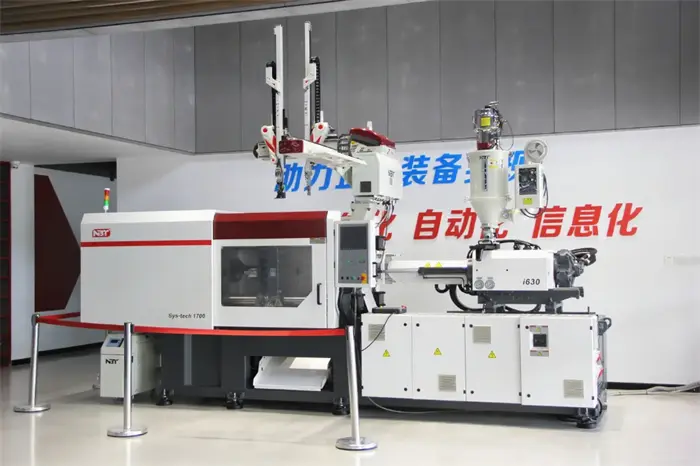
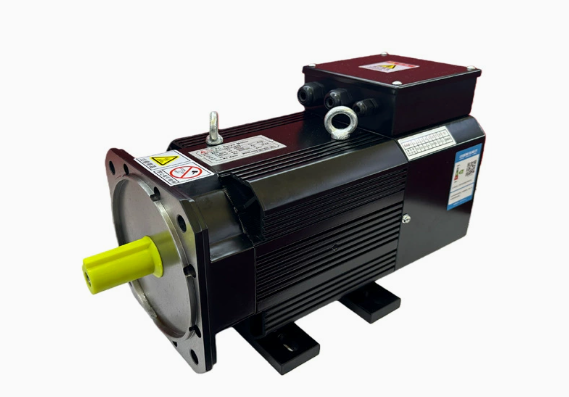
There’s nothing worse than the loud “BEEP” of a controller when you’re in the middle of a high-volume run. If you are operating servo driven injection molding machines, you know that a drive alarm usually means your entire production line grinds to a halt.
At NBT Machine, we often see operators get frustrated by these error codes. But before you think your motor is dead, here is a quick guide to what’s actually happening under the hood of your Energy saving molding system.
The Top 3 Causes of Alarms in Servo Driven Injection Molding Machines
Most alarms aren’t actually fatal. They are usually the system’s way of protecting itself. Here are the “usual suspects”:
- Overheating (Overload): If the ambient temperature in your workshop is too high, or if your machine is working too hard on a short cycle, the drive will trip. Check your Auxiliary Machines like chillers to make sure the cooling water is actually flowing.
- Encoder Cable Interference: This is a classic. If your signal cables are too close to high-voltage power lines, the “noise” can trigger a fault. Ensure your wiring is properly shielded.
- Parameter Mismatch: Sometimes, after a power surge, the drive settings can drift.
Why Stability Matters for Your Production
A drive alarm is more than just a code; it’s lost time. According to technical reports on Plastics News , modern Servo motor can save up to 70% in energy costs, but only if they are maintained correctly.
If your current equipment is constantly throwing “Overcurrent” or “Position Error” codes, it might be a sign of an aging system. This is why we focus so much on the stability of our Injection Molding Machines at NBT. We use heavy-duty drives that are built to handle real-world factory conditions.
Quick Fix: The “Power Cycle” and Beyond
When you see an alarm:
- First, Power Down the machine completely for 3 minutes to let the capacitors drain.
- Check the fan on the back of the drive. If it’s caked in dust, clean it! Heat is the #1 enemy of servo driven injection molding machines.
[Send us a WhatsApp message] with your alarm code! Whether it’s an Er01 or an Er10, the NBT Machine team can help you figure out if it’s a simple fix or if you need a system upgrade.